

“Marcus Aurelius (Lead Developer)”
Luna PetersonBlog Details
Turnexedic Version 2.0: Introducing Advanced Equalizer Presets
A New Era of Personalization
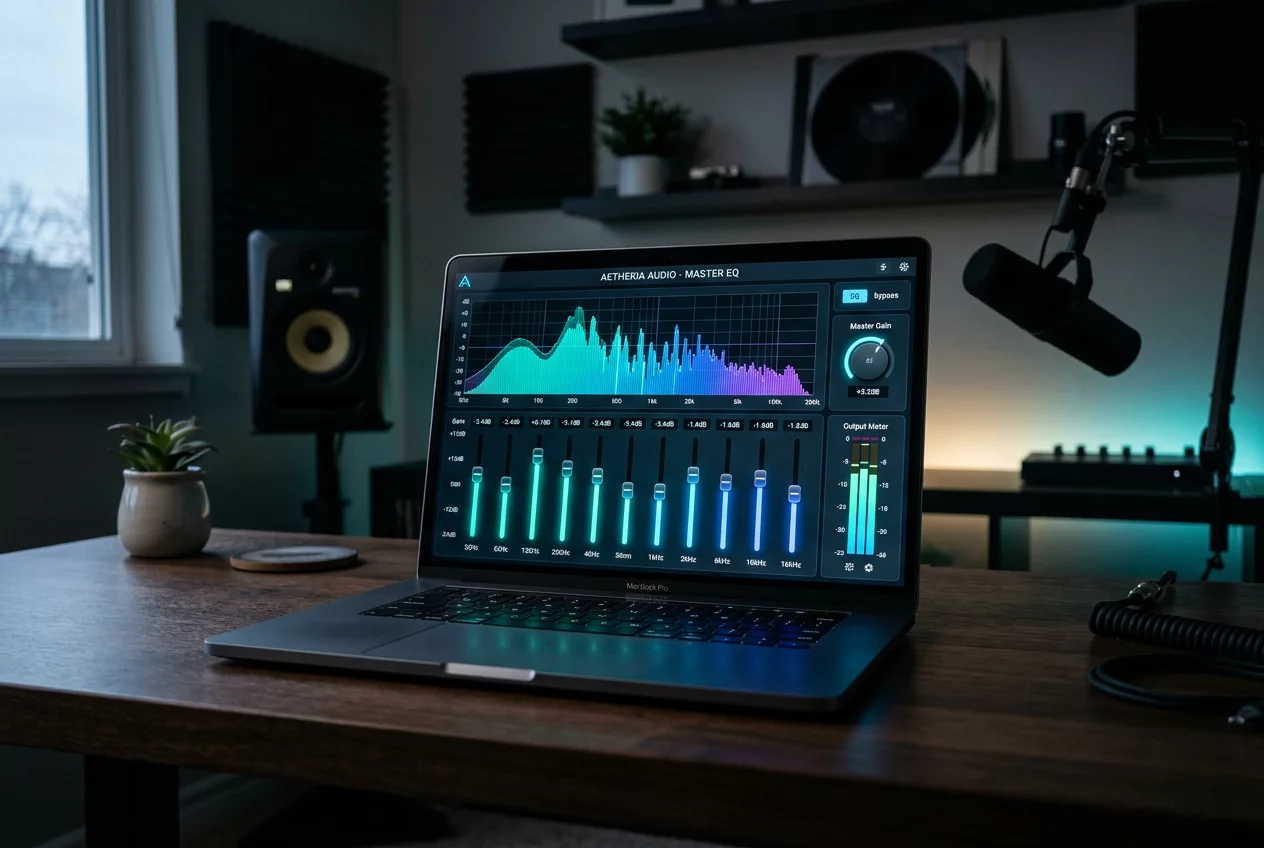
The team is thrilled to announce the release of Turnexedic Version 2.0. This update represents months of feedback and engineering, focusing on giving users more control over their sonic environment. While the core philosophy of bit-perfect playback remains, we recognize that different hardware and genres require different approaches. The centerpiece of this update is the completely redesigned Advanced Equalizer engine. It provides a level of precision previously reserved for professional studio software, now accessible to every music lover.
The Power of Parametric EQ
Unlike standard graphic equalizers that only allow adjustments at fixed frequencies, our new parametric EQ offers total freedom. Users can now select the exact frequency they wish to modify, adjust the gain, and most importantly, control the 'Q' factor. The Q factor determines the width of the frequency band being affected. A high Q allows for surgical precision to remove a specific resonance, while a low Q creates a broad, musical shelf. This flexibility makes Turnexedic 2.0 a powerful tool for correcting headphone deficiencies or room acoustic issues.
Expert-Crafted Presets
We understand that not everyone wants to spend hours tweaking individual bands. To help users get started, Version 2.0 includes a library of over 50 expert-crafted presets. These are not generic 'Rock' or 'Pop' settings. We have collaborated with sound engineers to create profiles tailored for specific use cases. There are presets designed to enhance the soundstage of closed-back headphones, profiles to compensate for the bass roll-off in small bookshelf speakers, and even 'Late Night' modes that compress dynamic range for quiet listening without losing vocal clarity.
Seamless Integration and Performance
One of the biggest challenges in implementing a high-quality EQ is maintaining system performance. The new engine in Turnexedic 2.0 is written in low-level code to ensure minimal CPU usage. Even with complex 10-band parametric configurations, the software remains light and responsive. The EQ settings can be saved as global profiles or linked to specific albums and genres. Imagine the player automatically switching to a 'Classical' profile when a symphony begins and moving to a 'Club' profile for electronic tracks. This automation brings a new level of convenience to the listening experience.
Refined User Interface
The interface has received a significant visual overhaul to accommodate these new features. The EQ window now features a real-time spectrum analyzer, allowing users to see the frequency distribution of their music as they make adjustments. This visual feedback is invaluable for understanding how a 3dB boost at 2kHz actually looks and feels. We have also added a 'Bypass' button with a gain-matching feature, so you can compare the processed sound with the original signal at the exact same volume level, ensuring that 'louder' isn't mistaken for 'better'.
How to Update and Explore
Updating to Version 2.0 is a simple process. Open the current version of the player and follow the update prompt, or download the latest installer directly from our website. All existing libraries and playlists will remain intact. We encourage everyone to dive into the new EQ settings and experiment. Start by trying the 'Natural Clarity' preset on a favorite vocal track. Share your custom profiles with the community through our forums. The evolution of Turnexedic is driven by the passion of its users, and we cannot wait to hear what you think of the new sound.
Leave a reply
Your email address will not be published. Required fields are marked *
0 Comments