Features Details
Automated Music Library Metadata Tagging System
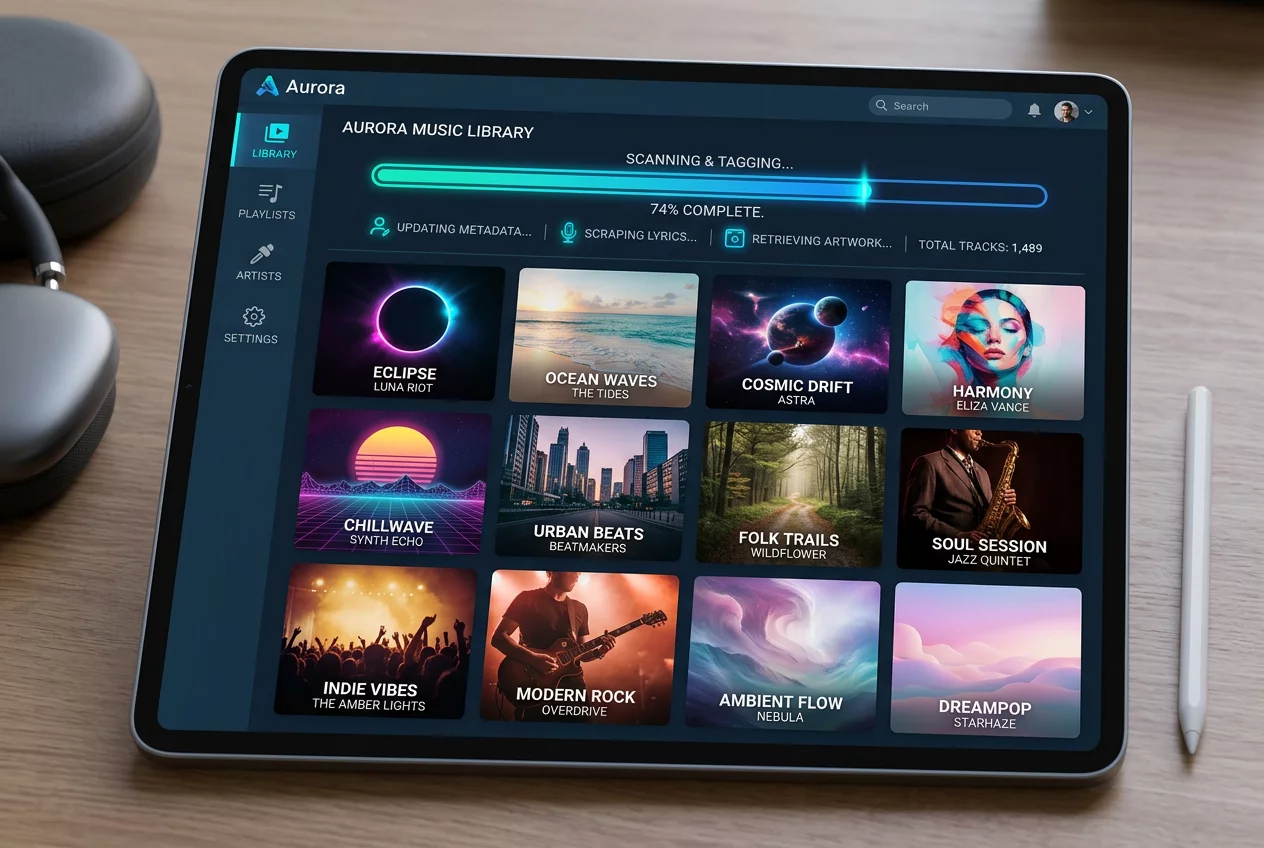
Large music collections often suffer from missing information and inconsistent naming. The Automated Music Library Metadata Tagging System in Turnexedic solves this problem by organizing files with surgical precision. Manually editing hundreds of tracks is a tedious task that most users avoid. The system automates this process by scanning the audio content and comparing it against massive online databases. It identifies the artist, album, year, and genre without requiring any user input. A clean library makes browsing a pleasure instead of a chore.
The Magic of Acoustic Fingerprinting
Filenames often provide very little information about the actual content. A file named 'track01.mp3' could be anything. The tagging system uses acoustic fingerprinting technology to analyze the unique digital signature of the audio. This method works even if the file has no existing tags or an incorrect name. The software generates a fingerprint and sends it to a global database like MusicBrainz or Discogs. Once a match is found, the system retrieves the correct metadata. This technology ensures that every song in the collection receives its proper identity.
Visual Perfection with High-Resolution Art
A music player looks incomplete without vibrant album covers. The automated system searches for the highest quality artwork available for every album. It prefers high-resolution images that look sharp on modern high-DPI displays. The software embeds the artwork directly into the file or saves it in the folder according to the user's preference. Beyond covers, the system also fetches lyrics and artist biographies. The library becomes a rich encyclopedia of the user's musical taste. Visual consistency across the entire collection improves the overall aesthetic of the application.
- Automatic detection of missing ID3 tags for various audio formats.
- Batch processing capabilities to update thousands of tracks at once.
- Integration with multiple online metadata providers for maximum accuracy.
- High-resolution album art downloader with smart selection logic.
- Support for custom tagging rules and folder structure automation.
Maintaining a Tidy Music Collection
Organization extends beyond just the tags themselves. The system can rename files and move them into a logical folder hierarchy based on the metadata. For example, it can sort files into 'Artist/Year - Album/Track - Title' format automatically. This prevents the library from becoming a chaotic mess of scattered files. Consistency in naming helps other applications and devices recognize the music correctly. The system also handles multi-disc sets and compilation albums with ease, ensuring that tracks appear in the correct order during playback.
Instructions for Organizing Your Library
Follow these steps to clean up your music collection. Point the software to the folders containing your music files. Click the 'Scan Library' button to allow the system to index the content. Select the tracks that require updated information or choose the entire library. Press the 'Auto-Tag' button to initiate the fingerprinting and database lookup. Review the proposed changes in the preview window to ensure accuracy. Confirm the updates to write the new metadata directly to the files. Watch as the library transforms into a perfectly organized gallery of music.
Reliability is a key focus of the tagging engine. It avoids overwriting existing data unless the user explicitly requests it. The system handles various character encodings, ensuring that international artists and non-latin scripts display correctly. A well-organized library allows for powerful searching and filtering. Users can find a specific song in seconds, regardless of the size of the collection. Turnexedic takes the hard work out of library management, leaving more time for the actual listening experience.
-
01
-
02
-
03