Features Details
Real-Time Cloud Library Synchronization Feature
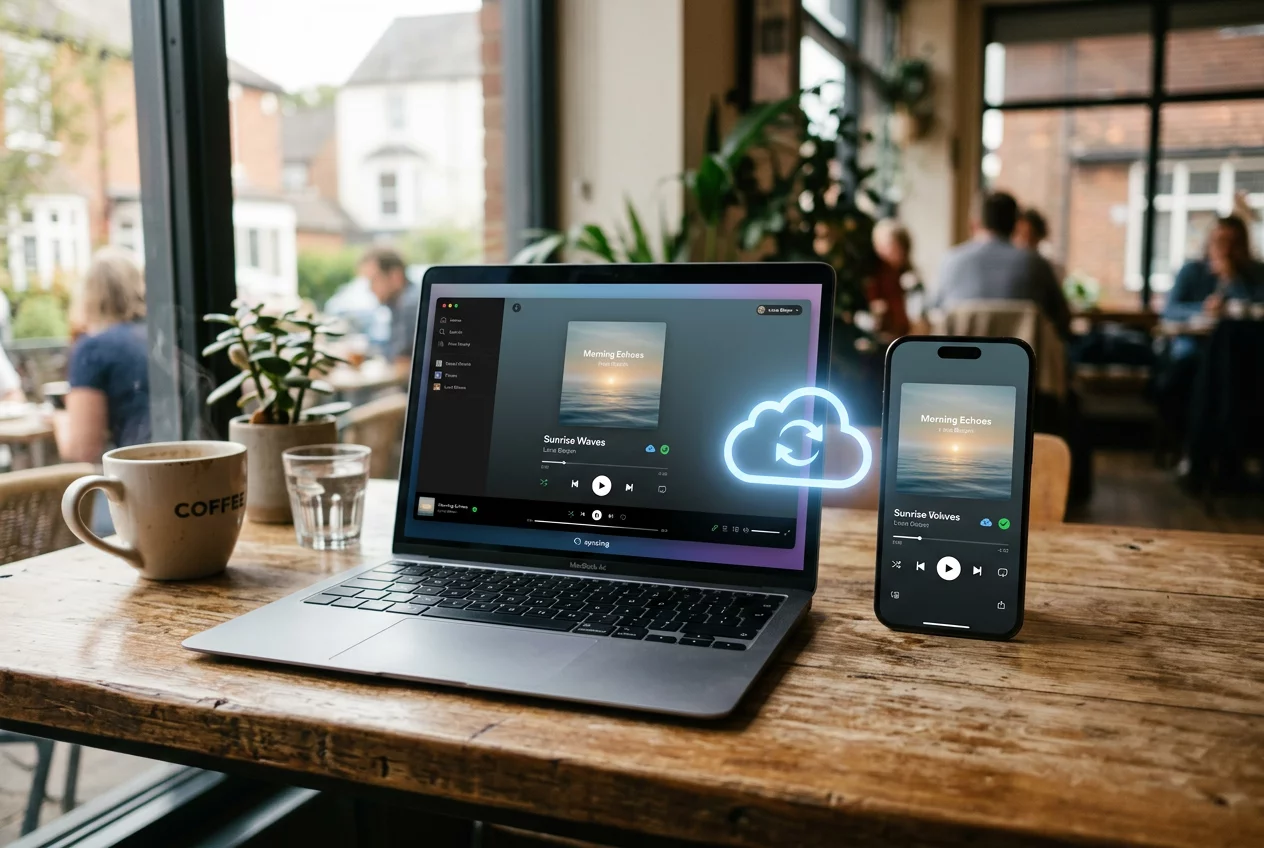
Modern listeners move between multiple devices throughout the day. The Real-Time Cloud Library Synchronization Feature in Turnexedic ensures that the music experience remains seamless across desktops, laptops, and mobile devices. Traditional players require manual copying of files, which leads to outdated playlists and missing tracks. Our synchronization engine treats the cloud as a central hub. Any change made on one device reflects instantly on all others. This connectivity bridges the gap between local storage and the convenience of streaming services.
Seamless Integration with Cloud Providers
The software does not force users into a proprietary ecosystem. It integrates directly with popular cloud storage providers such as Dropbox, Google Drive, and OneDrive. Users simply upload their music collection to their preferred service. Turnexedic then indexes these files and creates a virtual library that looks and feels like a local one. The system monitors the cloud folders for any changes. When a new album is added to the cloud from a desktop, it appears on the smartphone app within seconds. This approach provides the benefits of a personal streaming service without the monthly subscription fees.
Intelligent Metadata and Playlist Sync
Synchronization goes beyond just the audio files themselves. The system tracks play counts, ratings, and last-played dates across all devices. If a user creates a new 'Road Trip' playlist on their laptop, that same playlist is ready for use on their phone before they leave the house. Metadata edits also sync in real-time. Fixing a typo in an artist's name on one device updates the entire library globally. This level of consistency ensures that the user's relationship with their music remains intact, regardless of the hardware they are currently using.
- Real-time monitoring of cloud folders for instant library updates.
- Support for multiple cloud storage providers in a single unified view.
- Cross-device synchronization of playlists, ratings, and play statistics.
- Delta-sync technology to minimize data usage by only transferring changes.
- Offline caching mode for listening without an active internet connection.
Optimized for Mobile Performance
Data usage and battery life are critical concerns for mobile users. The synchronization engine uses a smart caching system to address these issues. It does not download the entire library to the phone. Instead, it streams the music on demand or allows the user to pin specific playlists for offline use. The audio is delivered in the highest possible quality that the current connection can support. On a stable Wi-Fi network, the player pulls the original high-resolution files. Otherwise, it can switch to a more efficient format to prevent buffering on mobile data.
Instructions for Setting Up Cloud Sync
Follow these steps to enable the synchronization feature. Upload your music files to a supported cloud storage folder. Open the Turnexedic settings and navigate to the 'Cloud' tab. Click the 'Connect' button next to your chosen provider and authorize the application. Select the specific folders that contain your music library. Wait for the initial indexing process to complete on your primary device. Install the app on your other devices and log in with the same account. Access your entire collection immediately from the cloud library section.
Security remains a top priority for our development team. The synchronization process uses encrypted connections to protect user data and credentials. The software only accesses the specific folders granted by the user, maintaining privacy. Cloud synchronization transforms a static music collection into a dynamic, living library. It removes the physical barriers of storage and allows the music to follow the listener everywhere. Turnexedic provides the ultimate freedom to enjoy high-quality audio on any device at any time.
-
01
-
02
-
03